Choosing a HBADA office chair starts with understanding three main product lines: P2, E3 and X7.
The P2 Ultra offers adjustable mesh seating with a built-in footrest at a lower price. The E3 range gives you more choices in lumbar support, armrests and reclining features. The X7 range adds powered lumbar tracking, with massage and other comfort features depending on the model.
There is one detail worth checking carefully: HBADA sells different generations under similar names. An older E3 Ultra is not the same chair as the E3 Ultra Gen 5, and E3 Air and Pro specifications vary by edition.
This guide compares the main models on HBADA’s US website, explains what the upgrades buy you, and helps you build a shortlist for your budget and workspace. If you are also weighing other ergonomic-chair brands, our SIHOO Doro C300 comparison and full SIHOO product matrix use the same side-by-side approach.
How We Researched This Guide
This is a specification-based buying guide, not a hands-on review. We checked HBADA’s official US website and published product information for model names, features, configurations and listed prices.
Prices below were checked on November 11, 2026. They are in US dollars, before additional discounts, tax and any applicable shipping charges. Offers, stock and preorder dates can change.
Our recommendations reflect published features and prices. They do not establish which chair will feel most comfortable for every person. You can read more about how we approach every guide on our method page.
The HBADA Chair Lineup at a Glance
| Product line | Models covered | Listed starting prices | Main reason to consider it |
|---|---|---|---|
| P2 | P2 Ultra | $299 | Adjustable mesh chair with a footrest included |
| E3 | E3 Air 2026, E3 Pro 2026, E3 Ultra Gen 5 | $379–$639 | A choice of adjustable support systems and comfort features |
| X7 | X7 Air, X7, X7 Prestige | $999–$1,629 | Powered lumbar tracking and additional comfort features |
| Clearance and older listings | Earlier E3 Ultra, E3 Pro Pink and other models | Varies | Potential savings if you check the exact version |
These groups describe the main shopping choices, rather than every color, accessory or older product listing.
HBADA also retains pages for models such as the J1, J3 and older P2 chairs. Their listed variants were unavailable when checked, so they are not the starting point for the current comparison.
HBADA Office Chair Comparison
| Model | Listed price | Lumbar support and adjustments | Footrest | Main distinction |
|---|---|---|---|---|
| P2 Ultra | $299 | Separate adjustable sacral-lumbar pad, 6D armrests, sliding seat | Included | Lower-priced mesh option with a footrest |
| E3 Air 2026 | $379 without footrest; $427 with | Three-zone lumbar support, adjustable headrest, 360° armrest adjustment, sliding seat | Optional configuration | Lower-priced entry into the current E3 range |
| E3 Pro 2026 | $519 without footrest; $569 with | Three-zone 8D lumbar support, 720° armrests, adjustable headrest, sliding seat | Optional configuration | More elaborate lumbar and armrest adjustment |
| E3 Ultra Gen 5 | $639 | Linked back, lumbar and seat support; 8D armrests | Included | Massage, heating and up to 150° recline |
| X7 Air | $999 | Powered lumbar tracking, 720° armrests, adjustable seat height and depth | Check selected configuration | Massage, heating and active seat ventilation |
| X7 | $1,169 gray; $1,329 black | Powered lumbar tracking, 720° armrests and adjustable headrest | Check selected configuration | Another smart-chair option with massage and heating |
| X7 Prestige | $1,629 | Powered lumbar tracking with posture memory and foldable lumbar wings | Included | Alcantara details, aluminum construction and additional customization |
The E3 Ultra Gen 5 was promoted as a preorder on the homepage when checked. Confirm the estimated shipping date before ordering.
Labels such as “6D,” “8D” and “720°” are HBADA’s feature descriptions. They are not standardized comfort scores. Check which movements each adjustment actually provides.
P2 Ultra: An Office Chair with a Footrest for $299
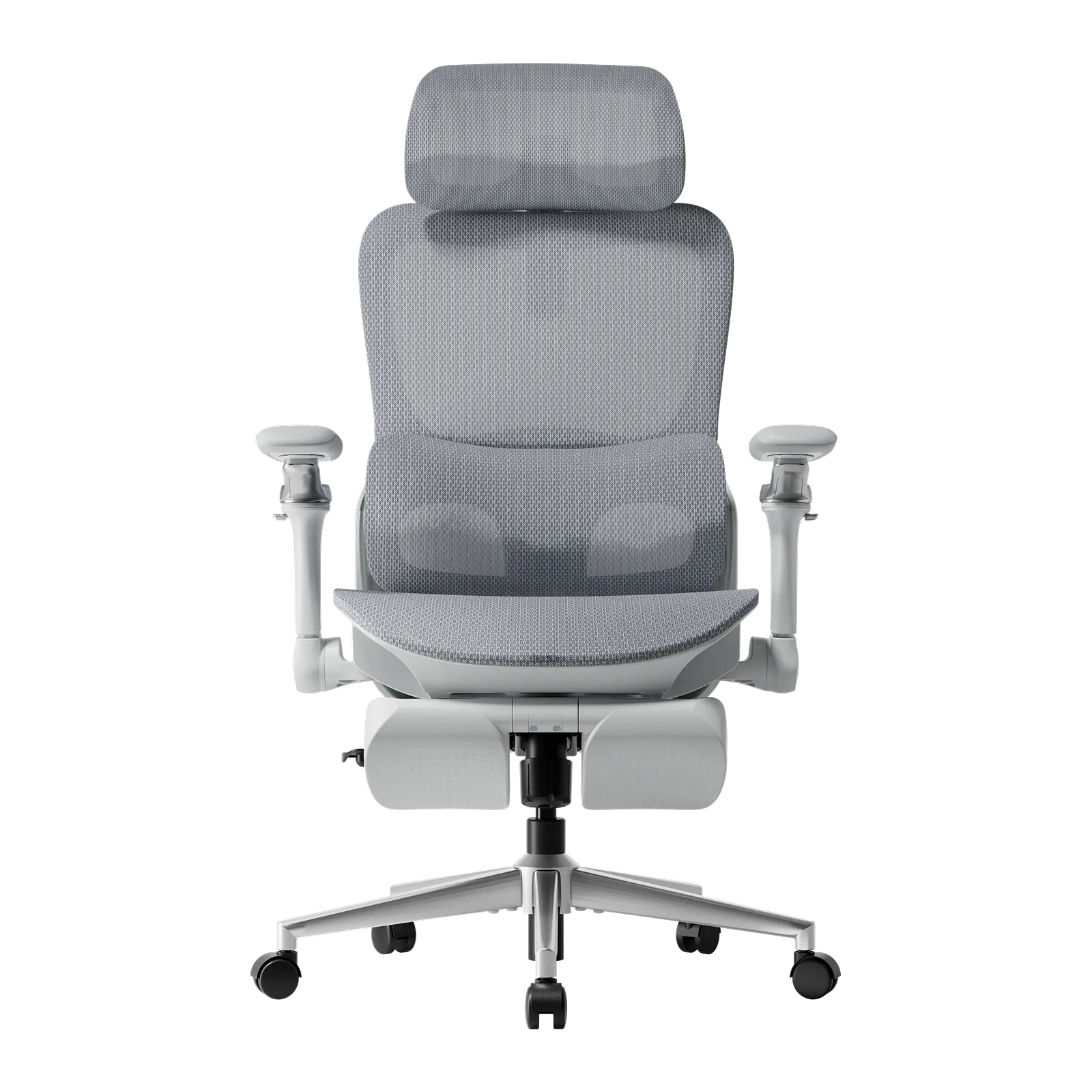
The HBADA P2 Ultra is a useful starting point if you want adjustable seating and a retractable footrest without moving into the higher-priced E3 or X7 models.
Its main features include:
- A separate lower-back support pad with height adjustment and adaptive movement.
- Adjustable armrests that rotate and flip up.
- An adjustable headrest.
- A sliding seat with 2.36 inches of depth adjustment.
- Mesh across the seat and backrest.
- Recline up to 140°.
The practical appeal is the combination. You get seat-depth adjustment, several ways to position your arm support, and a footrest in one $299 configuration.
HBADA lists a recommended user height of 4’11”–6’3” and a maximum weight of 300 lb. These figures help narrow the search, but your leg length, desk height and preferred seat feel still matter.
Consider it if: you want a mesh office chair with a footrest and a budget around $300.
HBADA E3 Air vs Pro vs Ultra: What Changes?
The E3 name covers several chairs, so “HBADA E3” alone is not enough to identify the features you are buying.
For the current range, compare the E3 Air 2026, E3 Pro 2026 and E3 Ultra Gen 5.
E3 Air 2026: The Lower-Priced E3 Option

The E3 Air 2026 starts at $379 without a footrest, or $427 with one.
It offers three-zone lumbar support, an adjustable headrest, adjustable armrests, 5 cm of seat-depth adjustment and recline up to 140°.
That makes it a sensible model to compare first if you want an E3 ergonomic office chair for everyday desk work. You can then decide whether the Pro’s additional adjustments solve a specific problem in your setup.
Consider it if: you want the current E3 design at a lower price and do not need powered features.
E3 Pro 2026: More Ways to Position Your Support

The E3 Pro 2026 starts at $519 without a footrest, or $569 with one.
HBADA lists three-zone 8D lumbar support and 720° adjustable armrests, alongside a dual-axis headrest, sliding seat and recline up to 140°.
Compared with the Air, the main reason to investigate the Pro is its lumbar and armrest system. If you switch between typing, mouse work and using a controller, the extra positioning options may be useful.
At the checked prices, the Pro costs $140 more than the Air without a footrest. That premium makes the most sense when you can identify an adjustment you expect to use.
Consider it if: armrest positioning and lumbar adjustability are priorities.
E3 Ultra Gen 5: Massage, Heating and a Deeper Recline
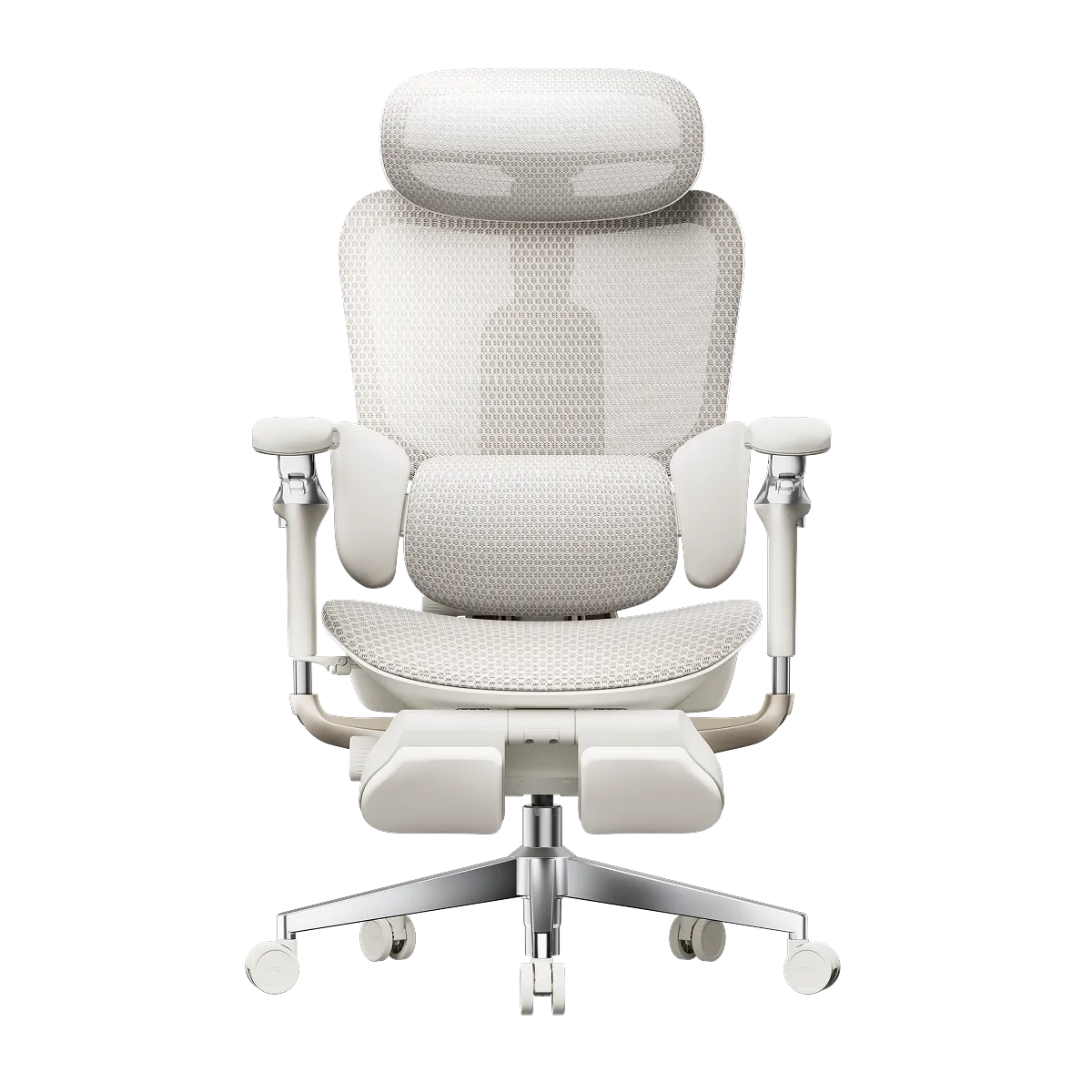
The E3 Ultra Gen 5 changes the comparison by adding powered comfort features.
At a listed $639, it includes lower-back massage, graphene heating, linked back and seat support, 8D armrests, a footrest and recline up to 150°.
It is worth considering if you want an office chair with massage and heat for seated breaks as well as desk work. Those features do not establish a better fit, so compare the seating dimensions and adjustment range too.
Consider it if: you specifically want massage and heating without moving to the X7 price range.
Watch Out for the Older E3 Ultra
HBADA also lists an earlier E3 Ultra at $499 in its clearance selection.
That listing describes an aluminum alloy frame, CloudMesh seating, adjustable three-zone lumbar support, 720° armrests and an included footrest.
It is a different product from the Gen 5. Do not assume a discounted E3 Ultra includes the newer model’s massage and heating. Match the product page, generation and features before comparing prices.
HBADA X7: What Do the Smart Features Add?
The X7 range is aimed at shoppers who want powered lumbar adjustment. HBADA describes its system as AI lumbar tracking: the chair detects changes in sitting position and adjusts lower-back support.
The useful distinction is the automatic adjustment itself. You still need to set up seat height, seat depth and your desk position.
X7 Air: The Lowest-Priced X7 in This Comparison
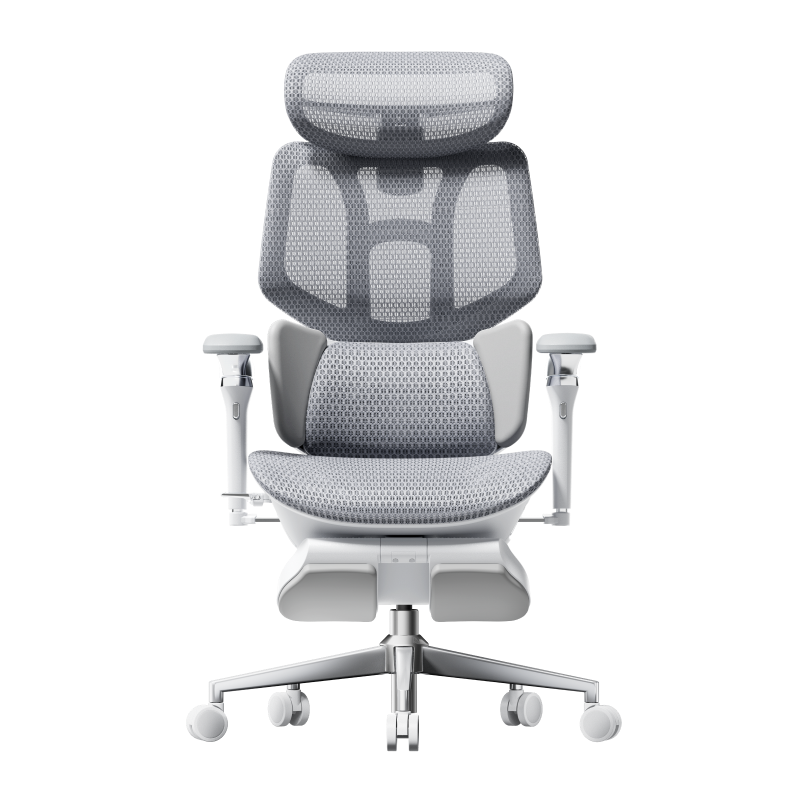
The X7 Air is listed at $999.
Its published features include automatic lumbar tracking, bionic massage, heating and three-level seat ventilation. It also has adjustable armrests, an adjustable headrest and recline up to 140°.
The ventilation uses fans to move air through the seat. That is a different feature from the passive airflow of a mesh office chair.
HBADA lists a reinforced nylon backrest frame, a 330 lb capacity and a recommended user height of 4’11”–6’5”.
Consider it if: you want automatic lumbar adjustment and active seat ventilation.
X7: Check the Actual Model Behind the Starting Price
The X7 product page includes both X7 and X7 Air selections.
When checked, the standard X7 cost $1,169 in gray and $1,329 in black. The $999 option belonged to the X7 Air.
This matters when a collection page advertises “X7 from $999.” Select the exact model and color before comparing its price with another chair.
Consider it if: you want the standard X7 configuration and have checked what its higher price adds for your needs.
X7 Prestige: Premium Materials and Foldable Lumbar Wings
The X7 Prestige is listed at $1,629.
Its distinguishing features include foldable lumbar wings, posture memory, Alcantara microfiber suede on selected surfaces, and gunmetal-finished aluminum construction. Massage, heating, ventilation and a retractable footrest are also listed.
Alcantara is a microfiber suede material. This is not a fully leather-upholstered office chair.
Consider it if: the adjustable lumbar wings and material upgrades matter enough to justify the premium.
Which HBADA Chair Should You Shortlist?
| Your priority | Start by comparing | Why |
|---|---|---|
| Budget around $300 | P2 Ultra | Sliding seat, adjustable support and included footrest |
| Current E3 model under $400 | E3 Air 2026 without footrest | Lower entry price into the current E3 range |
| More lumbar and armrest adjustment | E3 Pro 2026 | Its main upgrades focus on support positioning |
| Massage and heating below $700 | E3 Ultra Gen 5 | Both features are listed at $639; check preorder timing |
| Powered lumbar tracking | X7 Air | Lowest listed X7 price in this comparison |
| Premium materials and adjustable lumbar wings | X7 Prestige | Distinct material and support upgrades |
These are starting points based on features, not hands-on comfort rankings.
Before buying, compare seat height, seat depth, seat width and armrest clearance against your body and desk. A higher-priced chair is useful only if its fit and features work for you.
Frequently Asked Questions
Is HBADA E3 Air or Pro better for working from home?
Which HBADA office chair comes with a footrest?
What is the difference between HBADA E3 Ultra and X7?
Which HBADA chair should I consider if I am 5’7” and 175 lb?
Is a HBADA ergonomic chair suitable for eight-hour workdays?
Which HBADA chair is best for lower-back pain?
How long does a HBADA office chair last?
Is the HBADA E3 Ultra Gen 5 available for immediate shipping?
Where to Buy HBADA Office Chairs
Start with HBADA’s official US store to compare the current models, available configurations and older clearance listings.
If you compare offers elsewhere, match the full model name, edition, footrest option and included features. A lower price may refer to an older generation or a different configuration.
For a practical first comparison, put the P2 Ultra, E3 Air 2026 and E3 Pro 2026 side by side. Add the E3 Ultra Gen 5 if massage and heating matter to you, or the X7 Air if you want powered lumbar tracking.
Still comparing ergonomic-chair brands? Our SIHOO Doro C300 series comparison breaks down a rival flagship line the same way, and our ergonomic-chair reliability study shows what actually fails across 20 chairs and 18 brands.